The budget app for couples
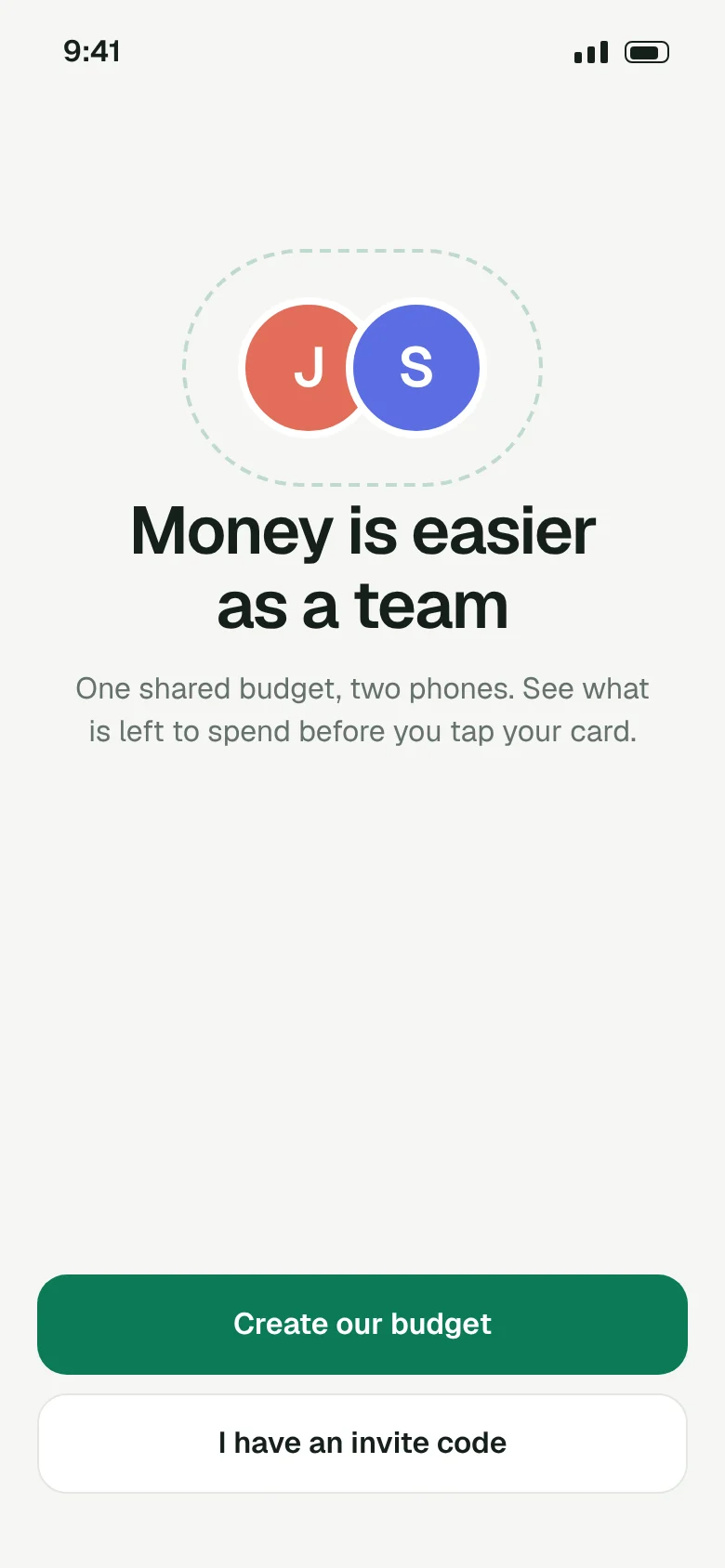
Money is easieras a team
One shared budget on two phones. See what is left to spend before you tap your card, and stop keeping score of who paid for dinner.
Coming to iPhone and Android in spring 2027. We email you once, when it opens.
Every screen
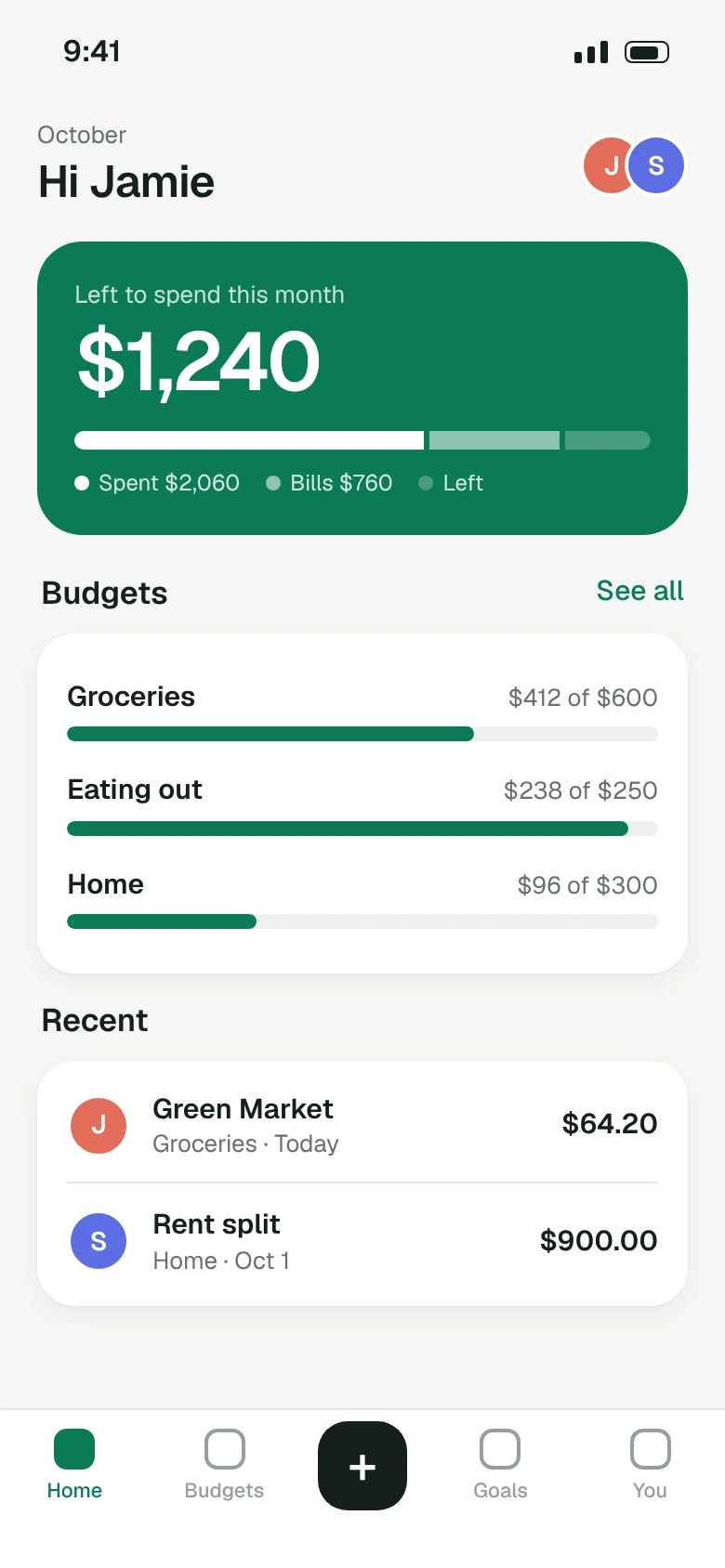
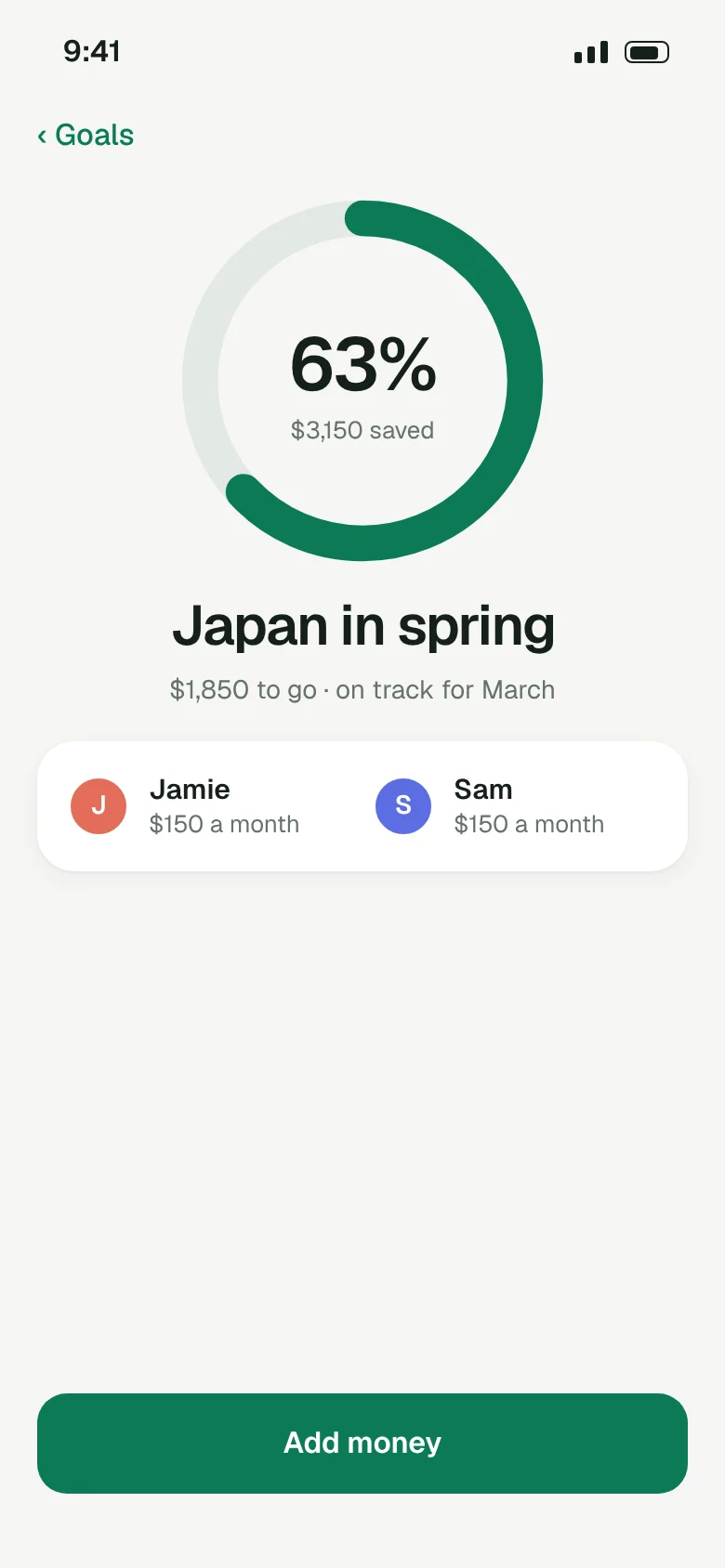
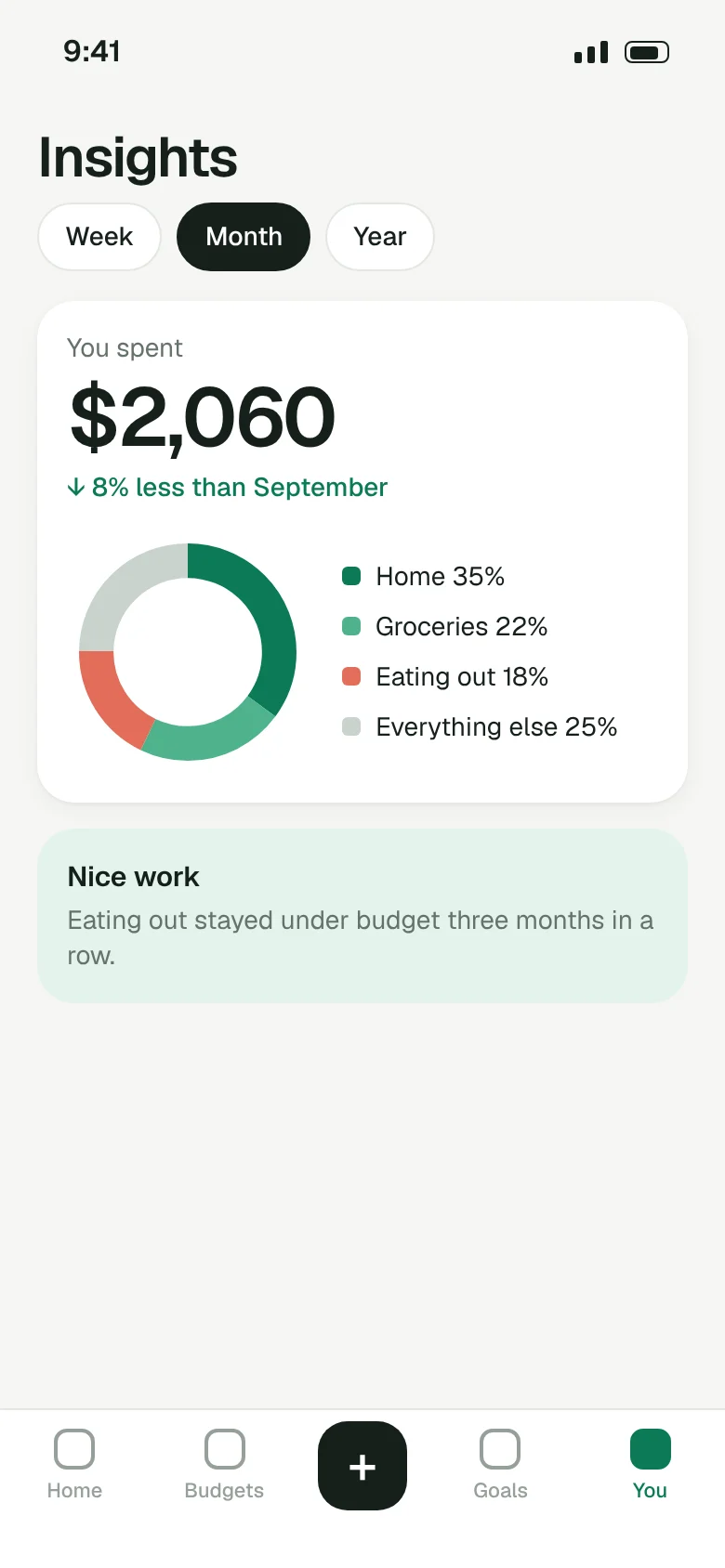
Look before you download
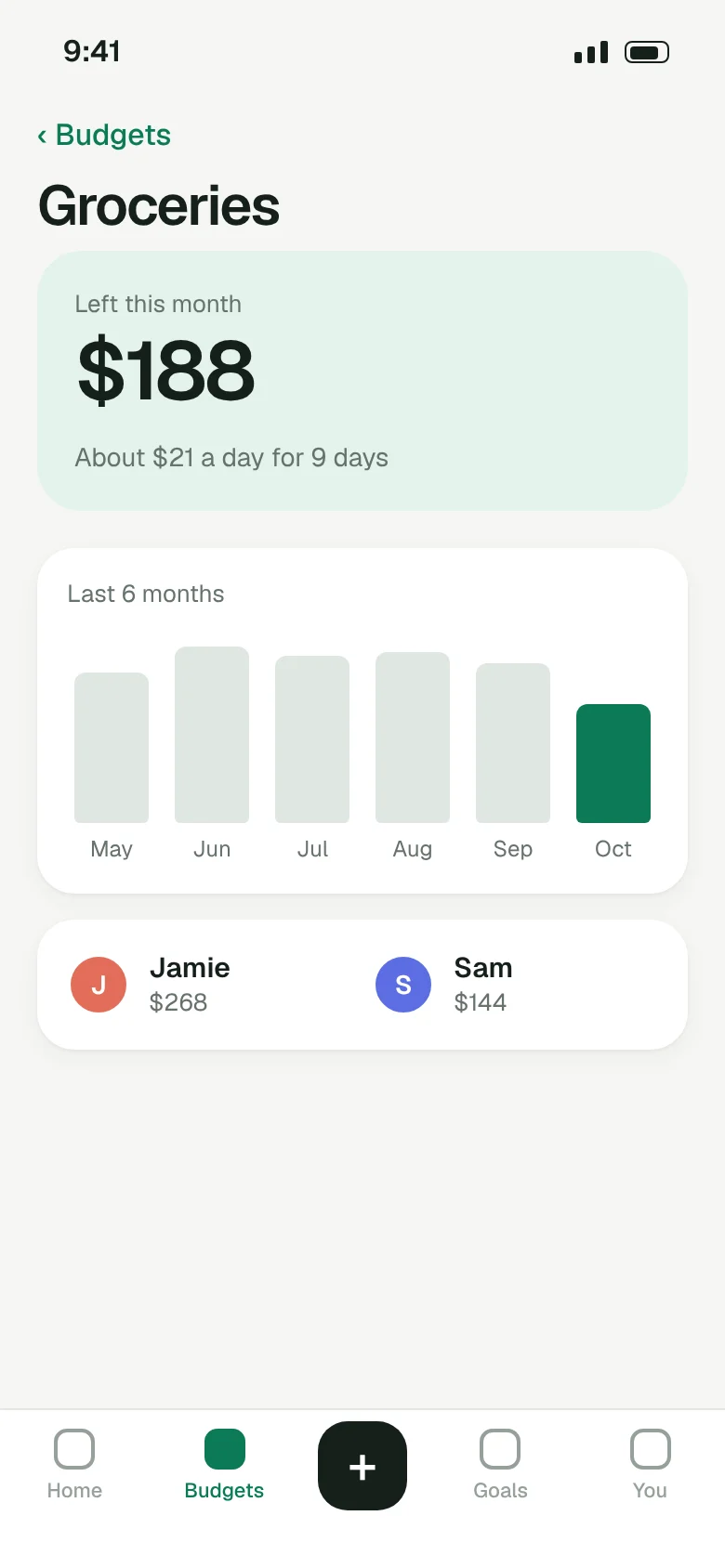
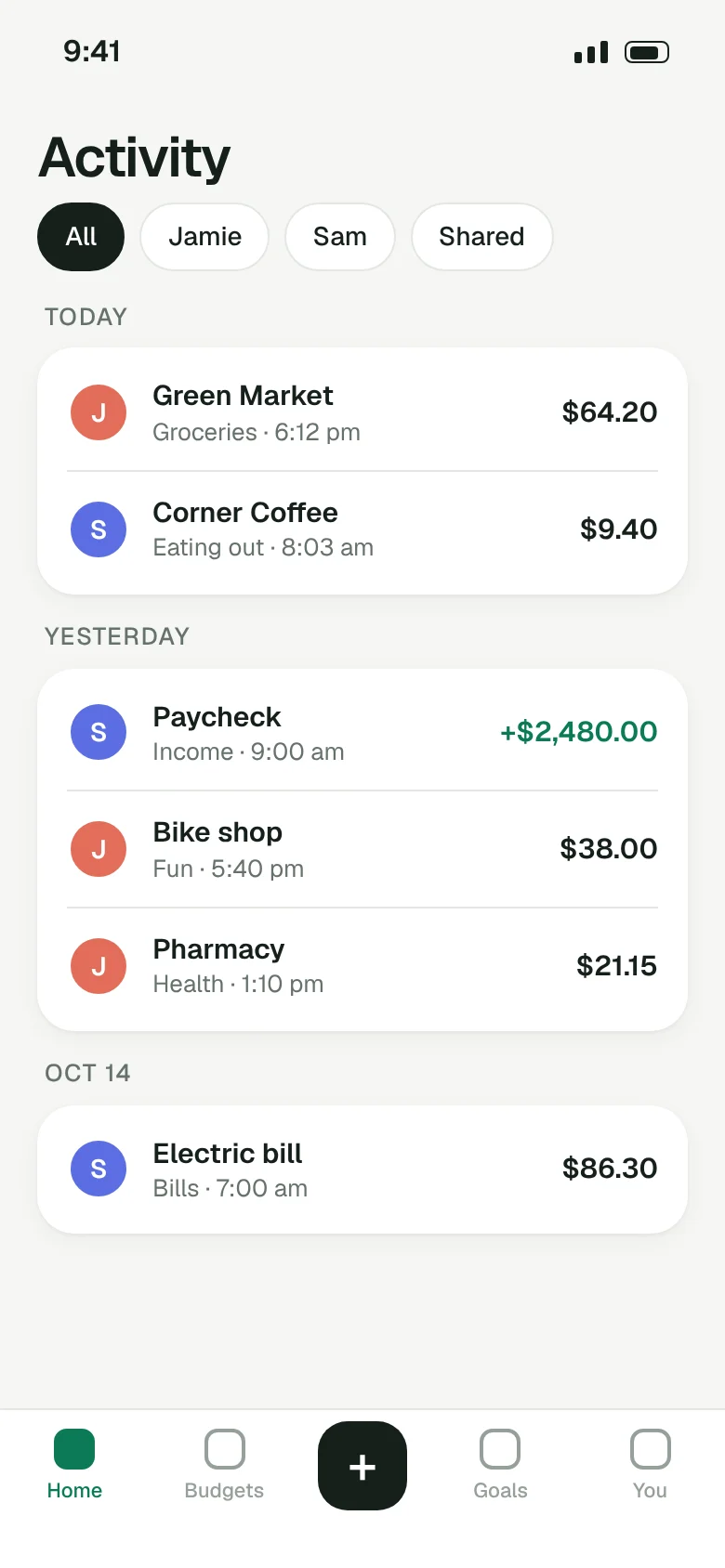
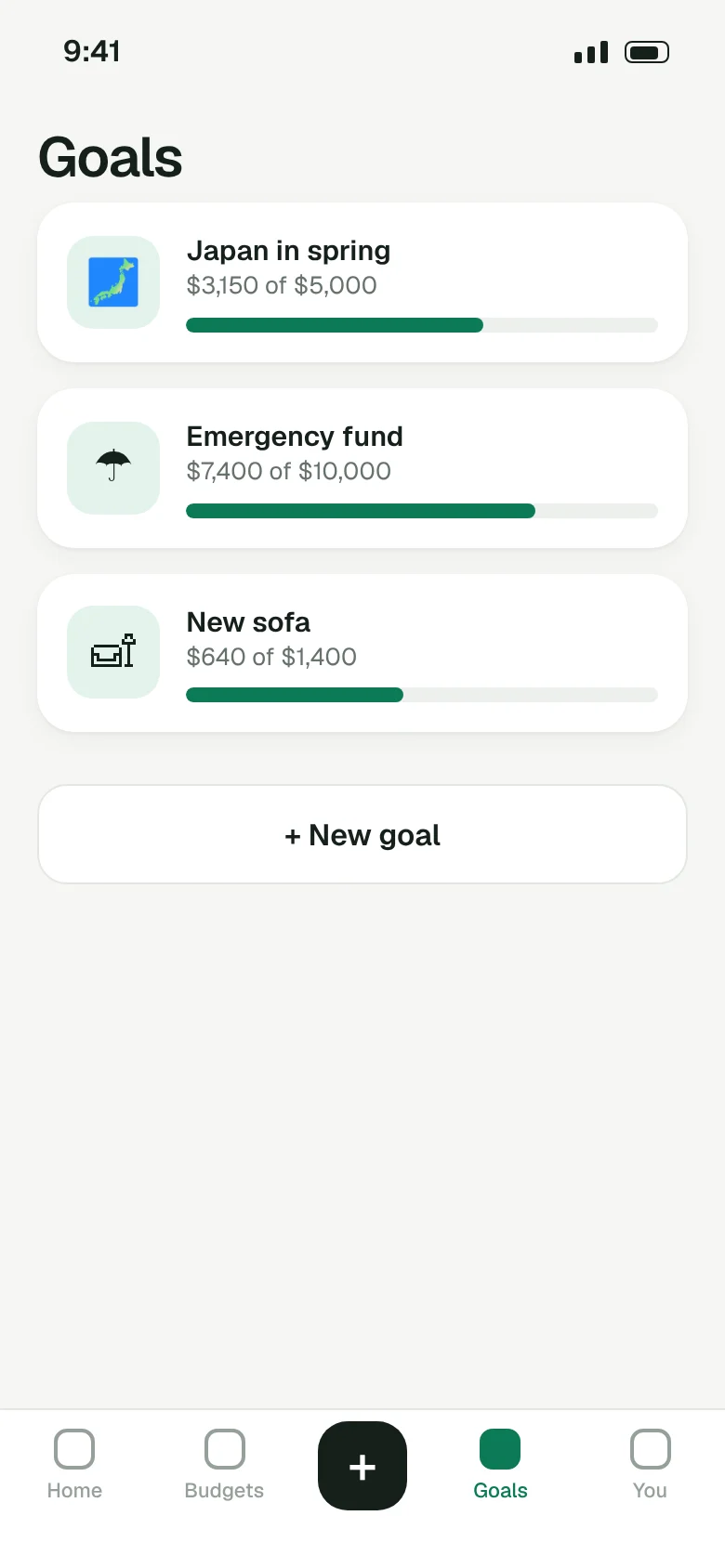
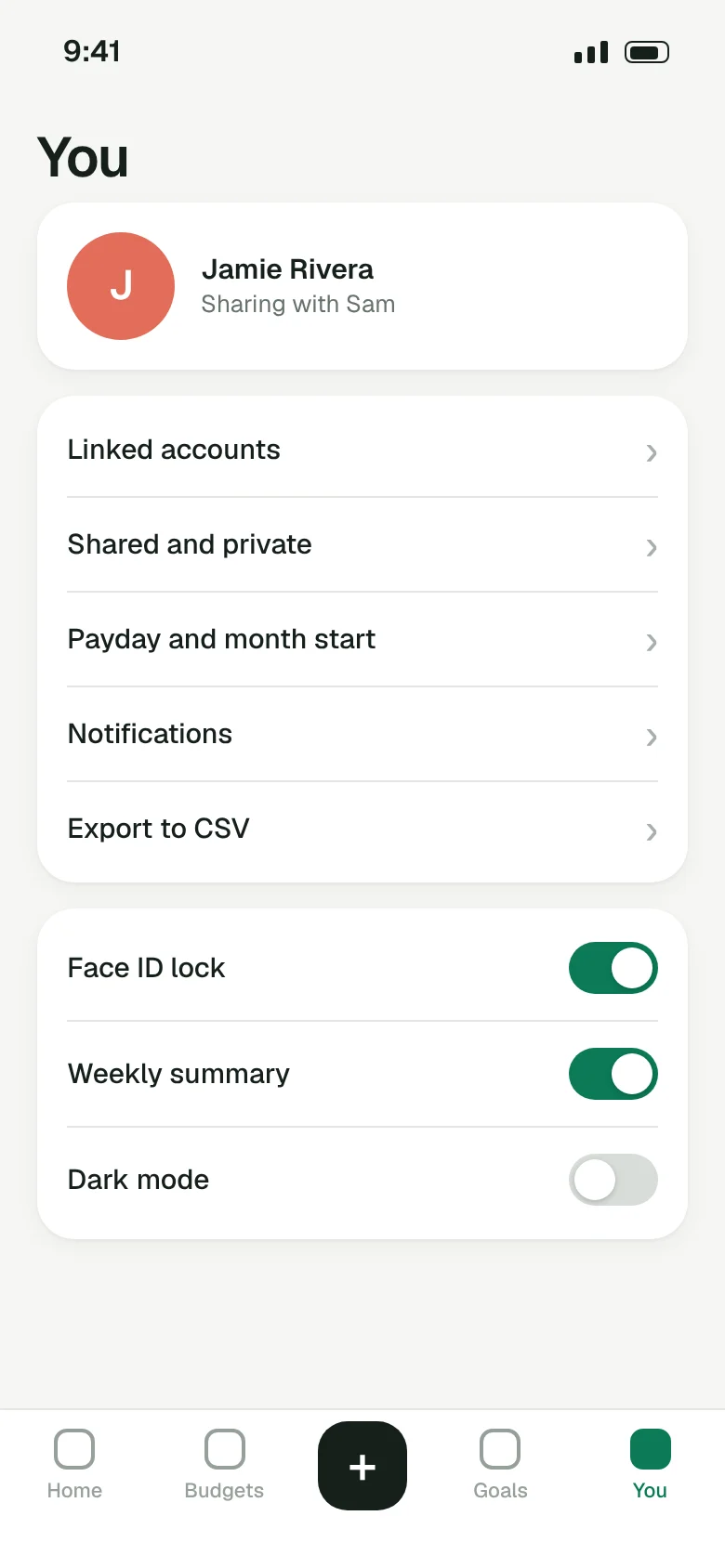
Every screen in the app, as it looks today. No mockups, no mystery.
Features
Built for two, not one plus a spreadsheet
One number that matters
Home shows what is left to spend this month, after bills. Check it in the checkout line.
Fair splits, no math
Split any expense 50/50, by income or by hand. Tally keeps the running total.
Goals you save for together
Set a goal, pick who adds what each month, and watch the ring fill up.
Shared and private
Share the joint stuff. Keep birthday presents and your own accounts to yourself.
Gentle nudges
A heads up when a budget is nearly spent. Never a lecture, never a red badge.
Your data, always
Export everything to a spreadsheet whenever you like. Delete it all in one tap.
How it works
A month with Tally, in four steps
- 1
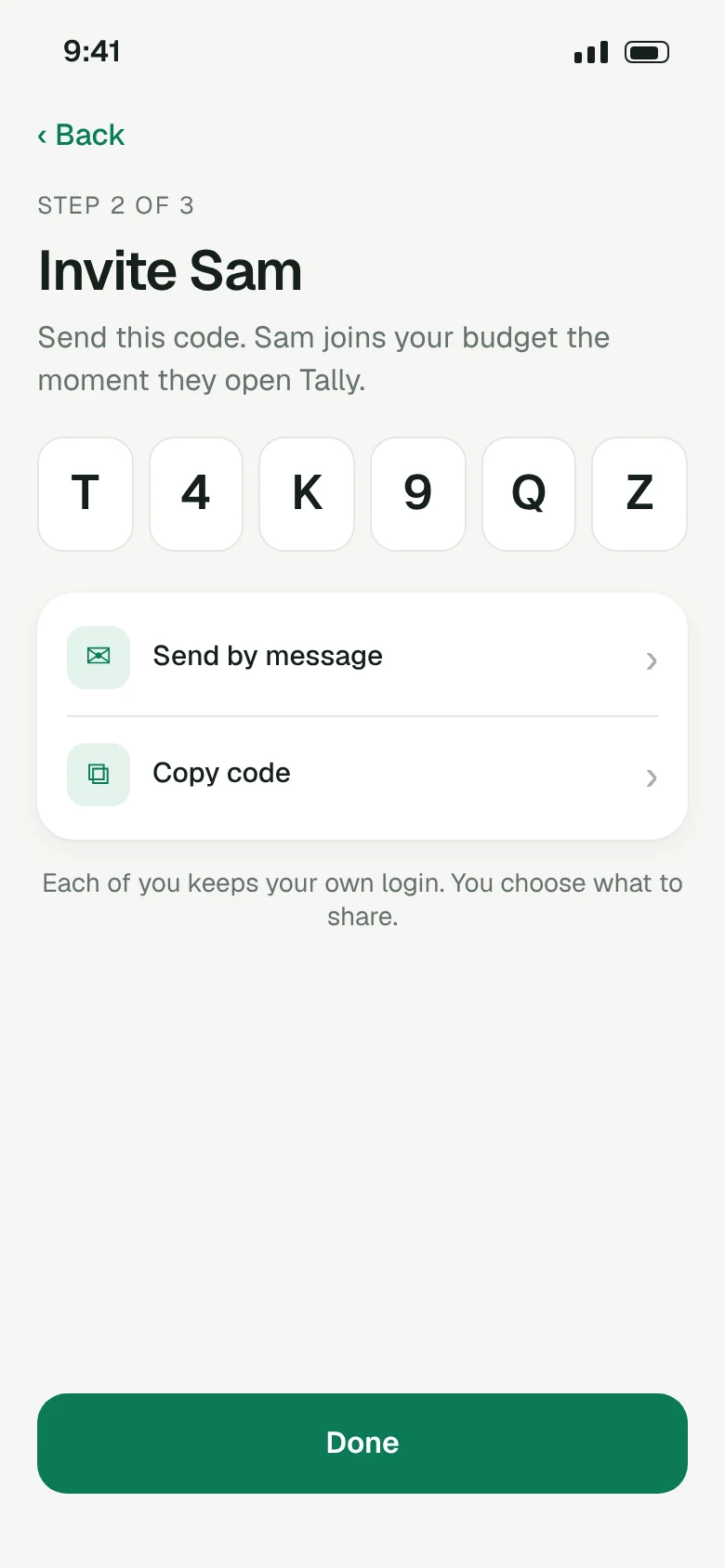
Invite your partner
Send a six letter code. They join your budget the moment they open the app, with their own login.
- 2
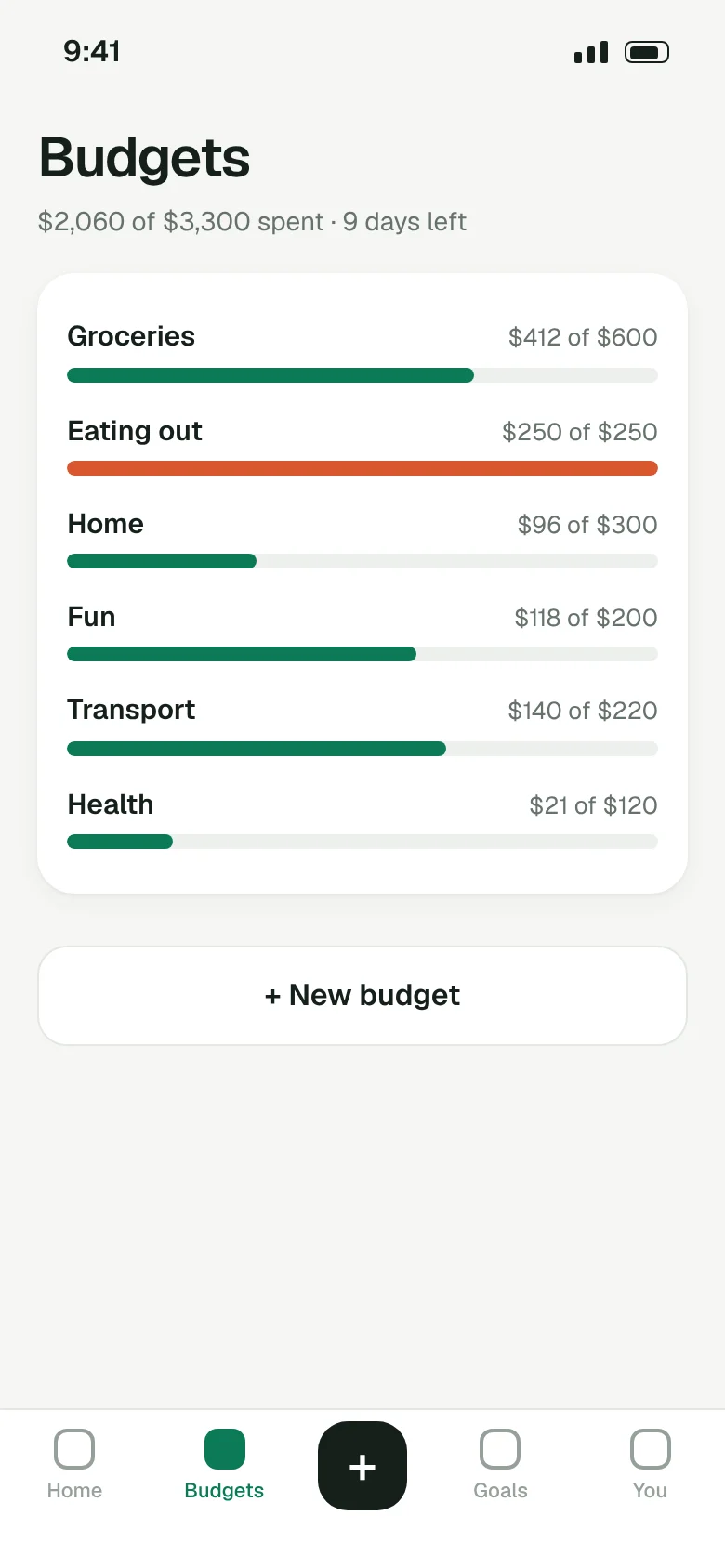
Set a few budgets
Groceries, eating out, home. Start with three and add more later. Tally suggests amounts from last month.
- 3
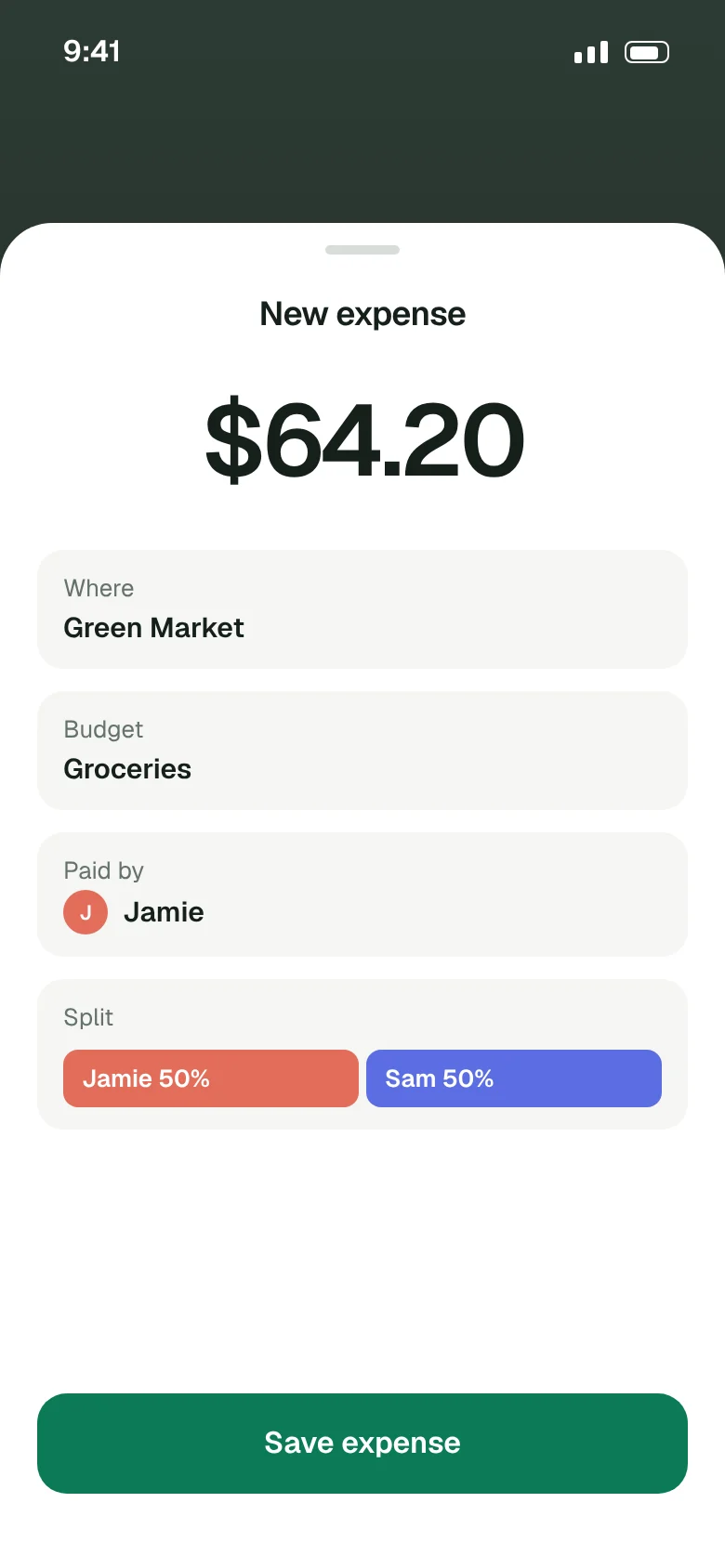
Add what you spend
Linked cards add expenses on their own. Cash takes two taps. Pick who paid and how to split it.
- 4
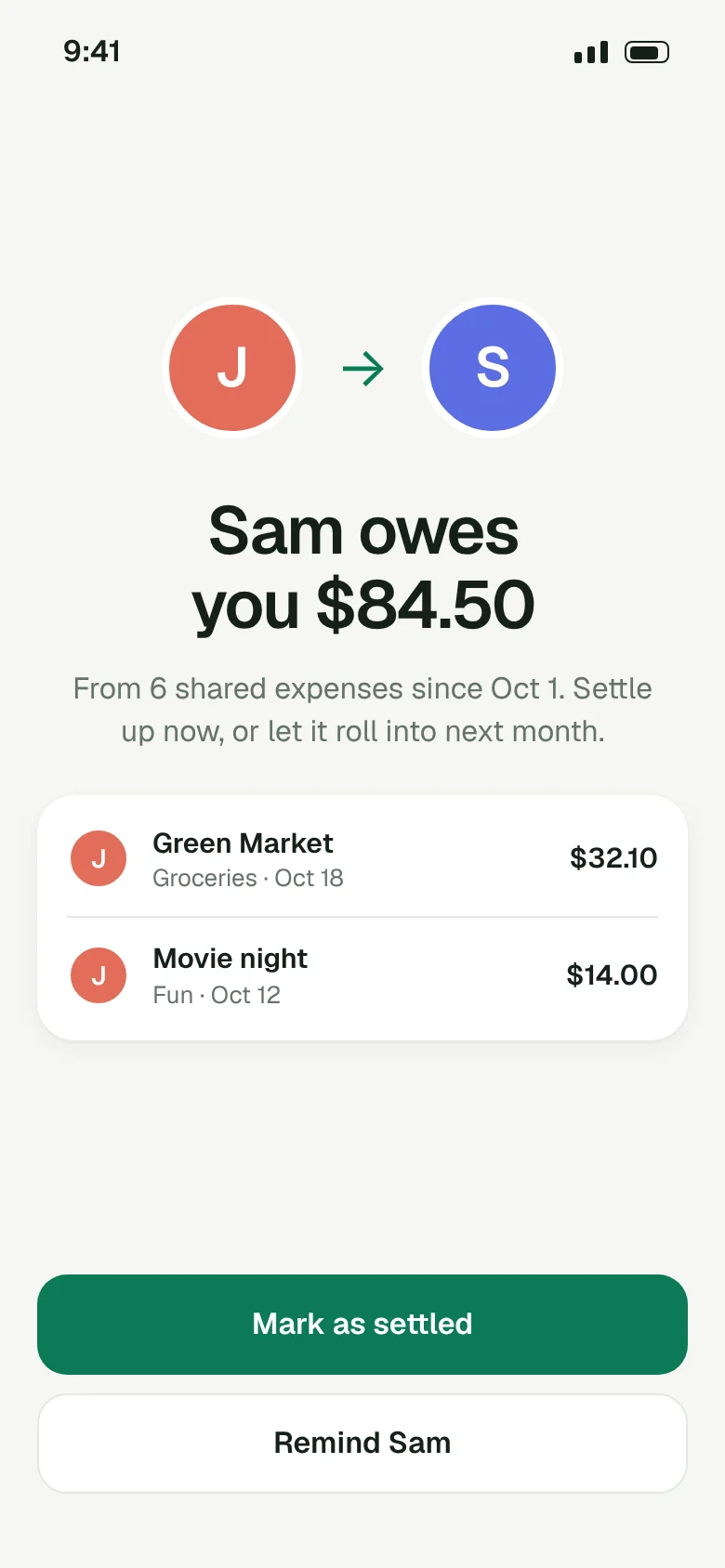
Settle up in one tap
At the end of the month Tally shows who owes who, with every expense behind the number.
Save up to 33% with yearly billing
Free
For trying Tally together.
$0forever
No card needed.
- One shared budget
- Up to 5 budget categories
- Add expenses by hand
- Settle up
Best for most couples
Plus
For couples who want it all in one place.
$6/ month
Or $48 a year, 33% less.
- Everything in Free
- Unlimited categories
- Linked bank cards
- Savings goals
- Insights and export
Family
For households with kids or roommates.
$10/ month
Or $84 a year, 30% less.
- Everything in Plus
- Up to 6 people
- Allowances for kids
- Separate household budgets
Questions
Before you ask
Do we both need to pay?
No. One plan covers both of you. Whoever subscribes pays, and the other person gets everything too.
Is my bank login safe?
Tally never sees your bank password. Cards link through a read only connection, so the app can see expenses but can't move money.
Can I keep some things private?
Yes. Each account and each expense can be shared or private. Private ones never show on your partner's phone.
What happens if we break up?
Either of you can leave the shared budget at any time. You each keep your own expenses, and shared history stays readable for both of you for 30 days.
Can I cancel any time?
Yes. Cancel in the app in two taps. You keep Plus until the end of the month or year you paid for, then drop to Free.
When does Tally open?
Spring 2027 on iPhone and Android. Join the waitlist and we will email you the day it opens for your phone.
Blog
Notes on money and love
Money basics ·
How to split bills fairly when you earn different amounts
Fifty fifty is simple, but it is not always fair. Three ways couples split shared costs, with the math for each.
1 min read
Habits ·
The monthly money date
Twenty minutes, once a month, with snacks. The simple routine that keeps money from turning into an argument.
1 min read
Saving ·
Building an emergency fund together
How much to save, where to keep it and how to get started when the number feels too big.
1 min read
Spring 2027
Be first in line
Join the waitlist and we will email you once, the day Tally opens for your phone. No newsletter unless you ask for one.